Easy Server Controls
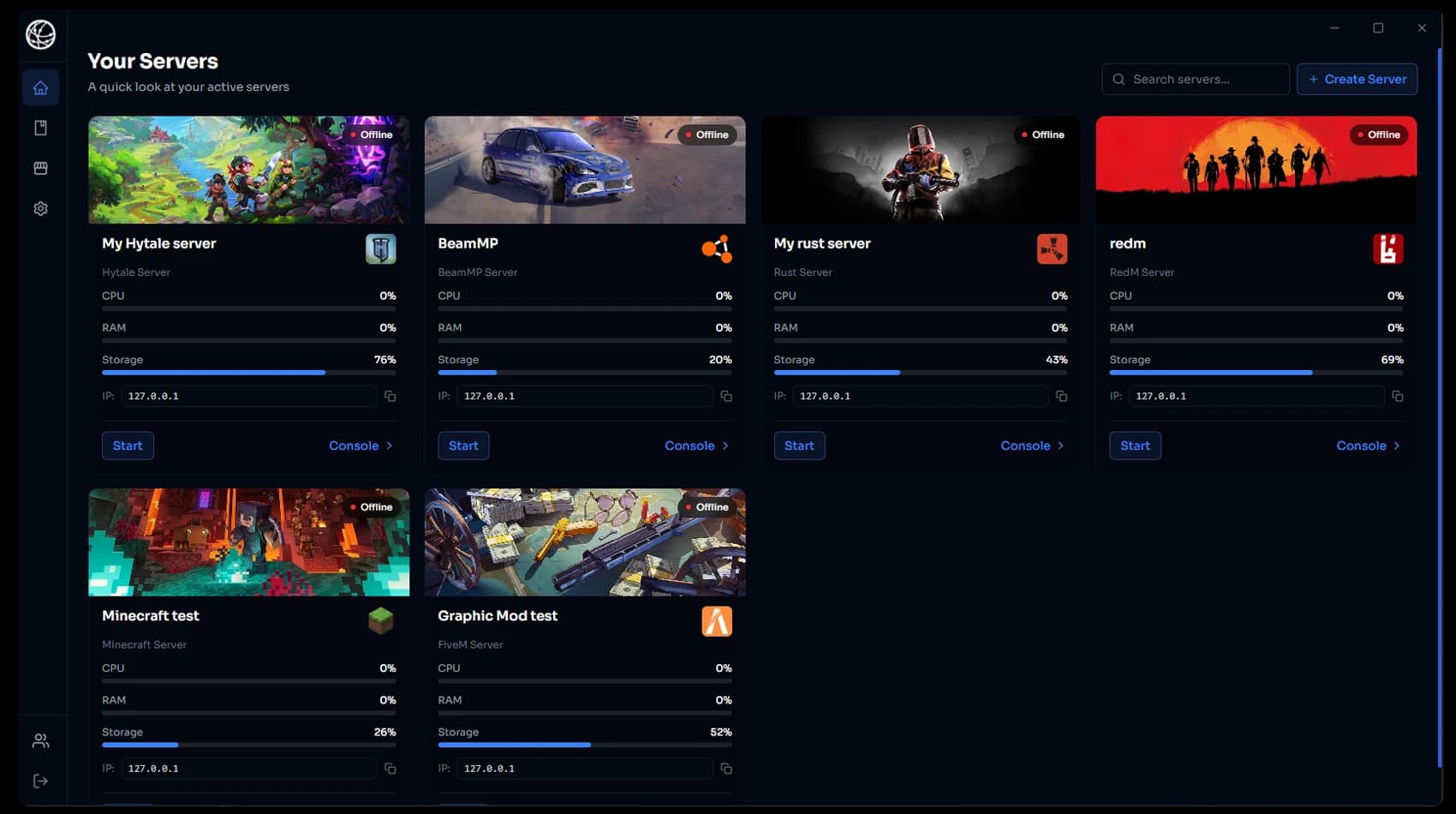
Start, stop, edit files, back up and manage every server from one dashboard.

An easy-to-use app for your PC that sets up any game server in one click. No port forwarding, no manual setup, and friends can help manage your server.
24 hour refund, no questions asked.
HTN Panel is an easy-to-use app for your Windows PC. Pick a game, click deploy, and your server is ready for friends to join. No port forwarding and no technical know-how needed.
Start, stop, edit files, back up and manage every server from one dashboard.
Pick any game from the library and HTN Panel installs and configures the server for you.
HTN Tunnel makes your server public with no port forwarding and your home IP kept hidden.
Monthly or lifetime, you get exactly the same thing: every game, every feature, no limits and no add-ons.
FiveM, Minecraft, BeamMP, RedM, Rust, ETS2, ATS, Hytale and every game we add next.
Run as many servers as your PC can handle, with unlimited mods and no slot caps.
Install HTN Panel on as many of your Windows PCs or Windows VPSs as you want.
Nothing to unlock and nothing extra to pay. Every feature is included from day one.
No port forwarding. Your server goes public automatically and your home IP stays hidden.
Edit configs, manage files, and back up or restore your server data from one app.
Let trusted devs or friends help manage your server, including start and stop controls.
Not for you? Request a full refund within 24 hours, no questions asked.
Every HTN Panel subscription includes HTN Tunnel, our built-in tunnel. Every server you deploy goes public automatically through our relay network, so there is nothing to set up on your router, no separate tunnel tool to pay for, and your home IP stays hidden.
play.htn.gg:7777
OnlineSelect Region — Lowest Latency
Localhost
localhost:30120
HTN Tunnel
play.htn.gg:7777
Players
3 connected
Connected Players — 3
Pick any game below and HTN Panel installs, configures, and runs the server on your own PC automatically, with no port forwarding needed.
See how HTN Panel compares to the alternatives.
Comparing HTN Panel against AMP (CubeCoders server control panel)
| CAPABILITY | HTN PANEL | AMP |
|---|---|---|
| Run on your own PC | ✓Yes | ✓Yes |
| Built-in file manager | ✓Yes | ✓Yes |
| Backups and team access | ✓Yes | ✓Yes |
| No port forwarding required | ✓Yes | ✕No |
| Home IP kept hidden | ✓Yes | ✕No |
| Server and tunnel in one app | ✓Yes | ✕No |
4.9/5 average rating from communities running servers with HTN Panel.
Alex Rodritquaz
March 2026
“The quality of HTN Panel is exceptional. Our community grew by 200% after switching. The custom UI elements and optimized performance make it worth every penny.”
Kieran Marlow
July 2026
“HTN Panel has transformed how we manage our game servers. The intuitive interface and powerful features have made hosting a breeze, and our players have noticed the difference in performance and reliability.”
Jenna Lark
September 2026
“As a server admin, HTN Panel has been a game-changer. The local hosting capabilities give us unparalleled control, and the built-in tools have streamlined our workflow. Our players love the improved performance and stability.”
Quick answers about buying and using HTN Panel.
Full access to the HTN Panel app, every game in the library, HTN Tunnel, the file manager, backups and the teams system. No per-game purchases.


