Everything you need to manage your local game server
Manage your game servers easily — stop, start, restart, edit or add files, make backups, or give your friends and team access to your server, all while it runs on your own PC.

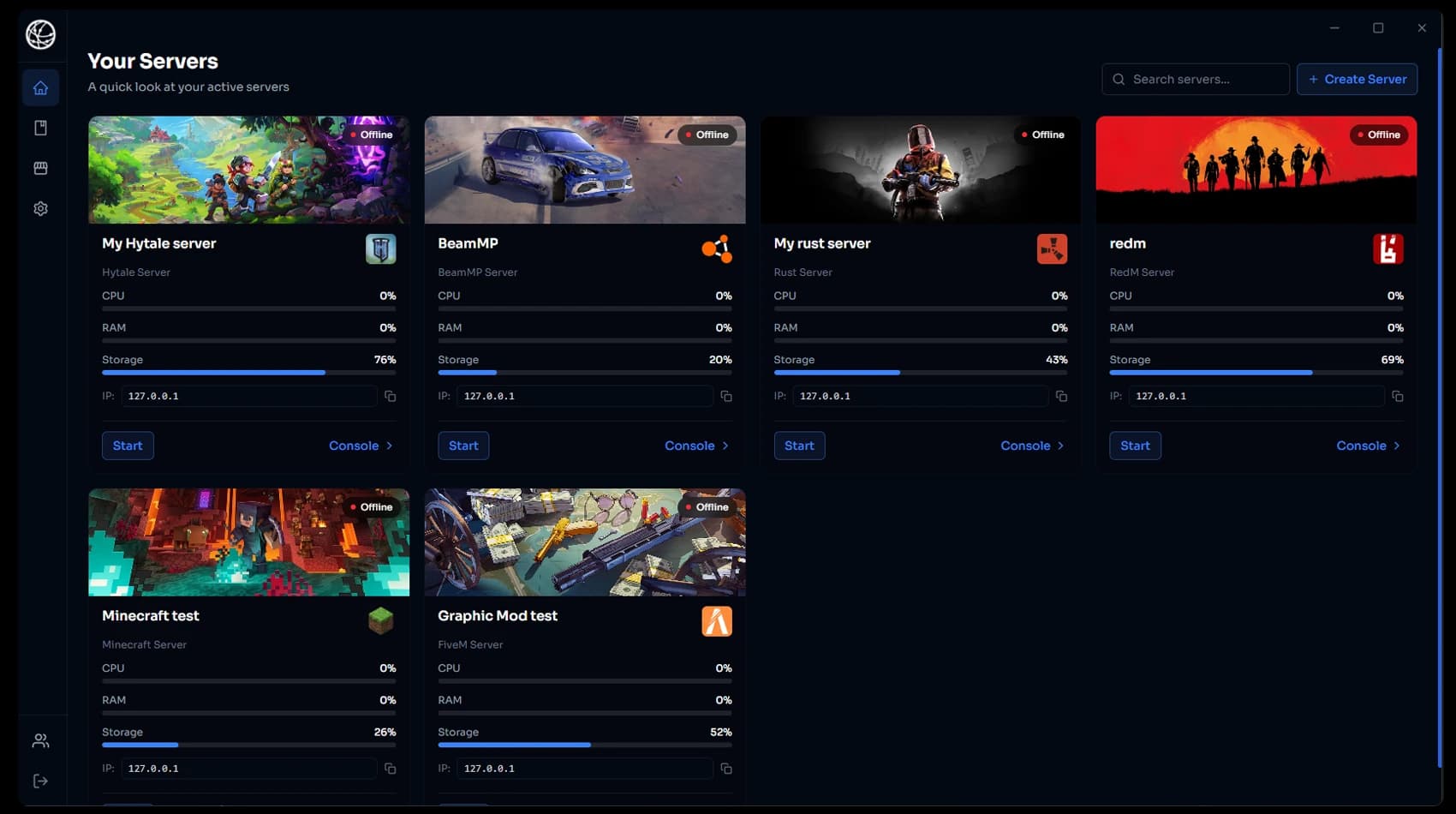
HTN Panel is a Windows desktop application that lets you install, configure, and manage game servers on your own PC with an intuitive, familiar and modern interface, allowing you to run servers without the need for port forwarding and other unnecessary headaches.
HTN Panel is a modern Windows app that helps you deploy, run, and manage your servers locally with less difficulty, bringing a very aged space up to date.
Manage your game servers easily — stop, start, restart, edit or add files, make backups, or give your friends and team access to your server, all while it runs on your own PC.
Our application is designed and built from the ground up for the average consumer. It runs directly on your own PC or any Windows device — yes, including VPS's.
HTN Panel makes local hosting simple and easy for the average consumer. We remove the need for any technical experience, making setup and everyday admin tasks easy, so you can just launch, monitor, and maintain your server without any learning curve. We even remove the need for difficult and outdated things such as port forwarding, using our built-in tunnel system to bypass it.
Download the free app and deploy your first local server in minutes. Try it for 24 hours and get a full refund for any reason if it is not for you.
Install HTN Panel on your Windows PC, sign in to your account, and complete the quick first-time setup so everything is ready in minutes.
Browse the game library, choose the server you want to host, and apply your preferred version and basic configuration with guided options.
Launch the server locally and manage power controls, logs, resources, backups, and remote access from one clean dashboard built for daily use.
Take a look at every feature of HTN Panel that makes local hosting the easiest way to run game servers.
Choose any supported title and let HTN Panel handle the heavy lifting. Dependencies, base configs, and startup scripts are prepared automatically so your server is ready faster.
Game Hosting Installer
Browse your server files, edit configs, and manage folders without leaving the app. It keeps common admin tasks fast and accessible even when you are making quick live changes.
Server File Browser
Schedule automatic backups, keep recovery points organized, and restore in seconds when something breaks. Your worlds and configs stay protected without manual backup routines.
Backups
Flip on HTN Tunnel and your locally hosted server goes public without touching your router. You get a unique play link to share with friends, so anyone can join in one click at no extra cost.
Tunnel Settings
Track CPU, memory, network throughput, and uptime in one dashboard. Spot bottlenecks quickly and tune resources before your players feel performance issues.
Live Resource Monitor
Use our built-in teams system to let trusted developers or friends securely help from outside your own PC. They can handle file changes and server actions like traditional managed hosting.
Teams Access
Start, stop, and restart servers instantly from the same control center. Power actions and status checks happen in the app without workflow switching.
Power Controls
See how HTN Panel compares to other hosting solutions and control panels.
Comparing HTN Panel against Traditional Hosting (Rented server plans)
| CAPABILITY | HTN PANEL | TRADITIONAL HOSTING |
|---|---|---|
| Runs directly on your own Windows hardware | ✓Yes | ✕No |
| Guided one-click game deploy flow | ✓Yes | ✓Yes |
| Built-in file manager in same workflow | ✓Yes | ✓Yes |
| Automatic backup workflow included | ✓Yes | ✕No |
| Secure teammate access via our built-in teams system | ✓Yes | ✕No |
| Lower monthly running cost for most setups | ✓Yes | ✕No |
Compatibility
Run HTN Panel on your own PC, a spare machine, or a Windows VPS. If it is Windows 10 or Windows 11, you are good to go.
Fully supported setup and management flow.
Optimized for current HTN Panel experience.
Deploy in cloud Windows environments too.
Use your daily rig or a dedicated spare box.
Have questions about HTN Panel? Check out our FAQ section for quick answers to common inquiries about our local game server hosting solution.
Yes. The app download is free, and every game gives you 24 hours to try it — if you do not need it or do not like it, request a full refund for any reason.